Members created birthday templates for our 10th birthday bash.
Thank you Belinda & Shaz!
Templates are in PSD format.
Download links are below the previews.
Please leave some passion if you download!


Welcome to Artistic Tag Passions Blog! Please join us at our tagging forum http://artistictagpassions.forumotion.com/forum
Members created birthday templates for our 10th birthday bash.
Thank you Belinda & Shaz!
Templates are in PSD format.
Download links are below the previews.
Please leave some passion if you download!
Pammers wrote a fun & gorgeous Exclusive tutorial.
She used an Exclusive kit for our forum called Birthday Bash by Emma of Diamond Creations
Thank you Pammers!
You can find the tutorial on her blog Here


Exclusive Pink & Black Birthday tube by Queen Uriel.
Thank you Carolina for this gorgeous and sassy tube!
You can only get the tube by being a member of Artistic Tag Passions

A fun and gorgeous Exclusive kit for our forum called Birthday Bash by Diamond Creations
Thank you Emma!
You can only get this kit in our forum Artistic Tag Passions


Happy Birthday ATP!
We will have our annual Razzle Dazzle Birthday Bash this month.
Thank you to all of our fabulous members!
Belinda, Jules & Moon

Belinda created a beautiful birthday Cluster frame.
Thank you Belinda!
She used an Exclusive kit for our forum called Birthday Bash by Diamond Creations
You can only get the kit by being a member of Artistic Tag Passions
Frame is in PNG format.
Right click to save.


I used the beautiful AI Birthday Party Kit by Adrienne's Designs Here
I used Birthday Party tube by Eskada at Pics for Design Here
Word Art Blow those candles out by A Blonde Ambition Here
I used PSP 2020 but any version should work.
Font of choice.
I used Birthday Cake.
Mask of choice.
Drop Shadow of your choice.
Be sure to adjust, sharpen after resizing.
Open a new image 750 x 750.
Paste paper 9.
Apply your mask.
Paste element 44.
Resize 110%.
Paste paper 12 under element 44.
Resize 70% twice.
Erase any portions showing.
Paste element 30 on the left behind element 44.
Duplicate, Image mirror to the right.
Duplicate again and put in the middle.
Paste element 20 on the left.
Resize 40%.
Duplicate, image mirror.
Paste element 21 on the right under the flowers (element 20)
Resize 50%.
Image Mirror.
Paste your tube on the top layer.
Resize 35%.
Paste element 69 on the left.
Resize 45%.
Paste element 55 on the top of the presents on the left.
Resize 25%.
Paste element 139 on the left in front of the presents.
Resize 15%.
Paste element 110 by the cup on the left.
Resize 12%.
Paste element 94 to the right of the cookies.
Resize 28%.
Paste element 52 beside the popcorn.
Resize 30%.
Paste element 72 in front of the tube and behind the dog a little.
Resize 50%.
Paste element 117 in front of the presents on the right.
Resize 13%.
Paste element 63 to the right of the presents.
Resize 40%.
Paste element 132 to the right in front of the bear.
Resize 20%.
Paste element 90 in front of and to the right of the bear.
Resize 29%.
Paste element 118 in front of the box.
Resize 12%.
Paste the Word Art on top.
Add any other elements of your choice.
Add your copyright and name.
Save in PNG format.
I created an avatar to go with it.
No tutorial for that.


prev.jpg)
This is quick and easy.
I used a Cluster Frame by Wendy as part of a cluster frame challenge in our forum Here
Frame is the last one.
I also used the gorgeous and fun Miggins BNB Blog train Happy Birthday kit Here
I used a tube by Nikki Hall at polkadoodles.
I used PSP 2020 but any version should work.
Font of choice.
I used Sweetheart Birthday.
Word Art It's My Birthday by A Blonde Ambition Here
Drop Shadow of your choice.
Be sure to adjust, sharpen after resizing.
Open the frame and resize to 750 x 750.
Grab your magic wand and click inside the frame.
Selections, Modify, expand by 10.
Open paper 7.
Resize 20%.
Paste in the frame.
Selections, invert, delete.
Paste your tube and resize as needed.
Paste element 7 to the right behind the tube.
Resize 15%.
Paste element 11 to the right of the tube.
Image Mirror.
Resize 20%.
Paste element 12 behind the tube on the right.
Resize 35%.
Paste element 8 to the right in front of the tube.
Resize 35%.
Image, mirror.
Paste element 14 to the left.
Resize 20%.
Paste element 16 behind the presents on the right.
Resize 35%.
Paste the Word Art on the top.
Add your copyright and name.
Save in PNG format.
Thank you for trying my tutorial!


I used the beautiful AI Birthday Party Kit by Adrienne's Designs Here
I used an exclusive tube by Misticheskaya called Molly.
You can only get the tube at our forum Artistic Tag Passions
I used PSP 2020 but any version should work.
Font of choice.
I used Birthday Cake.
I used 2023 05 Birthday Mask 1 by Basima Here
Drop Shadow of your choice.
Be sure to adjust, sharpen after resizing.
Open a new image 750 x 750.
Paste paper 11, apply mask, delete, merge group.
I resized mine to 110%.
Paste element 44. Move up a bit.
Paste element 42 on the top layer.
Copy and paste your tube, resize to 12.
Move over to the right.
Resize element 20 to 40%.
Image, mirror, place behind the tube on the right.
Duplicate, image mirror, place on the left behind the house.
Resize element 69 to 40%.
Place to the left on the top.
Resize element 55 to 30%.
Place to the left by the tube's foot.
Resize element 5 to 35%.
Place to the left on the mask layer.
Duplicate, image mirror, place on the right.
Resize element 20 to 35%.
Place to the left under the presents.
Resize element 68 to 35%.
Place behind the mouse.
Resize element 52 to 30%.
Place to the left by the presents and mouse.
Resize element 72 to 50%.
Place behind the tube on the right.
Resize element 133 to 18%.
Place in front of the tube.
Resize element 117 to 13%.
Place to the left of the mouse.
Resize element 90 to 22%.
Place to the right of the tube.
Resize element 94 to 18%.
Place on the far right.
Resize element 139 to 16%.
Place next to the box.
Resize element 110 to 12%.
Place by the cup.
Add your copyright and name.
Save in PNG format.
I created an avatar to go with it.
No tutorial for that.


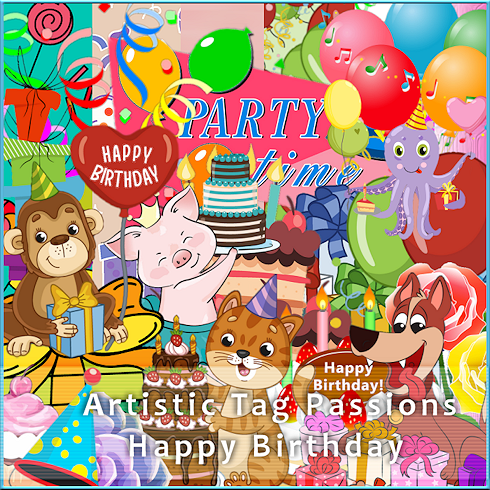
I used the exclusive ATP Birthday Celebration kit by Shaz at 3Tz's DesignZ
Thank you Shaz!
I used an exclusive tube by Misticheskaya called Molly.
You can only get the tube and kit at our forum Artistic Tag Passions
Birthday Word art by A Blonde Ambition Here
I used PSP 2020 but any version should work.
Font of choice.
I used Hallo Oyster.
I used Mask WSL_535 Here
It doesn't look to be available so use a mask of your choice.
Drop Shadow of your choice.
Be sure to adjust, sharpen after resizing.
Open a new image 750 x 750.
I resized mine to a little smaller.
Paste paper 10, apply mask, delete, merge group.
Resize Frame 5 to 70, paste, click inside with your magic wand, expand by 5, paste paper 10, invert, delete, select none.
Copy and paste your tube, resize to 15.
Open element 16, crop the confetti, paste on the paper layer under the frame, resize to 70%.
Erase any showing outside of the frame.
Resize Frame 1 to 80%. Paste under the frame on the mask layer.
Move it to how you like it.
Past element 46 on the paper layer.
Erase the balloons and the bottle behind the tube.
Duplicate, move down below the paper in the frame, move to the left
Duplicate, mirror to the right.
Resize element 25 to 50%. Place above the tube on the left.
Duplicate, mirror.
Resize element 12 to 25%.
Place in front of the tube.
Resize element 21 to 20%. Place in front of the presents.
Resize element 20 to 30%.
Place next to the cake.
Resize element 36 to 60%.
Erase the balloons.
Place next to the pink and white present.
Resize element 20 to 40%.
Place behind the presents on the left.
Resize element 17 to 25%.
Place on the left in front of the presents.
Resize element 19 to 25%.
Place in front of the present on the right.
Resize element 6 to 40%.
Place behind the tube on the right.
Resize element 35 to 60%.
Place behind the tube on the left.
Duplicate, image mirror.
Resize element 53 to 10%.
Free rotate, right 45.
Place to the left of the Happy Birthday card and the cake.
Image mirror, place on the left of the 3 cupcakes.
Resize element 48 to 10%
Place on the right of the card.
Duplicate, image mirror.
Place to the left in front of the present.
Duplicate, place in front of the cupcake.
Resize element 37 to 13%
Place in front of the birthday card.
I resized the Word Art and placed on the top.
Add your copyright and name.
Save in PNG format.
I created an avatar to go with it.
No tutorial for that.

Thank you for trying my tutorial!
Our members created fun Word Art for the Tag Survivor game in our forum.
Thank you Barb, Bobbie, Sandy, Shelly & Pammers!
Word Art is in PNG format.
Just right click and save.
This first Word Art is with Drop shadow as the white wouldn't show.
Download below this is without drop shadow.


Happy Birthday ATP!
We will have our annual Razzle Dazzle Birthday Bash this month.
Thank you to all of our fabulous members!
Belinda, Jules & Moon
Members created beautiful birthday Cluster frames.
Thank you Louise & Rachey!
They used the following scrap kits:
Birthday Party by Adrienne's Designs
Happy Birthday by My Tagging Addiction
Frames are in png format.
Right click to save.


This beautiful Misticheskaya Birthday Exclusive tube was brought to our members by the admin team for our 9th birthday celebration in September!
Belinda, Jules & Moon.
You can only get this by being an active member of our forum
Artistic Tag Passions

Here are some birthday templates for our 7th birthday bash.
Templates are by Belinda, Jules, Moon & Rachey.
Previews are in JPG format
Templates are in PSD format
Click on the link below the preview to download.
Belinda


We are 7 years old this month!


Our members created some fun birthday Cluster Frames to share.
Thank you Rachey, Shaz, Tammy & Wendy!
They used the following kits:
BNP Birthday Blog train by Black Widow Creationz and Miggins
Spring Birthday by My Tagging Addiction
Downloaded Frames are in PSD format.
Previews are in jpg format.
(previews have been resized but originals have not)
Click on the link below the preview to download.
Please leave some Passion if you download!


Our members made Fun Birthday Word Art as part of our 6th Birthday Bash at our forum.
Thank you Belinda, Louise, Penny, Sandy, Shaz, Shel & Wendy!
Word Art is in PNG format.
Just right click and save.
***Belinda***